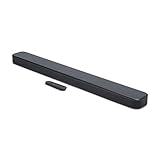


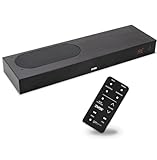


Buying Guide
How to Buy a Soundbar
This quick guide helps you pick the right soundbar by focusing on room fit, clarity, bass needs, connectivity, and budget. Use the short checklist and tips below to decide fast and buy with confidence.
Key factors to consider
- Room size and TV placement: small soundbars work well for desks and small living rooms; wider bars and subwoofers suit larger rooms.
- Dialog clarity: if you watch a lot of news, sports, or conference calls, prioritize models with voice enhancement or adjustable voice-boost controls.
- Bass needs: choose a soundbar with a wireless subwoofer or strong built-in bass if you want deep lows; compact bars with bass reflex deliver decent punch for tight spaces.
- Connectivity: look for HDMI ARC or eARC for best TV audio, plus optical, Bluetooth, and USB options for flexibility.
- Surround and formats: Dolby Digital and Dolby Atmos provide more immersive sound; virtual surround tech can widen soundstage from a single cabinet.
- Installation and size: confirm height and width so the bar does not block the TV IR sensor or screen; check for wall-mount templates if needed.
- Budget and value: entry-level options start around $100; midrange bars with subwoofers are commonly $150 to $300; premium immersive bars can be $300 and up.


Types available
- Compact 2.0 soundbars - slim, simple, good for small rooms and desktops.
- Dialogue-focused soundbars - optimized voice clarity with multiple voice-boost levels and modes for hearing-impaired viewers.
- 2.1 systems with subwoofer - best balance of clear speech plus stronger bass for movies and music.
- Premium immersive bars - include Atmos processing and upward-firing or upmixing tech for theater-like experience.
- All-in-one smart bars - built-in voice assistants and streaming support for hands-free control and music services.
Must-have features and common mistakes to avoid
- Must-have features: HDMI ARC/eARC, optical input, Bluetooth, and a clear explanation of included cables and remote controls.
- Check audio formats: Dolby Digital is common; Atmos is a plus only if you want immersive sound and have compatible content.
- Power and drivers: more watts and additional drivers usually mean fuller sound, but placement matters more than raw numbers.
- User controls: look for adjustable voice or EQ settings, display readability, and a simple remote or app.
- Common mistakes: assuming bigger price always equals better fit; ignoring TV audio outputs (some TVs need an adapter for certain connections); buying a bar that blocks the TV sensor or is too tall; skipping return and warranty policies.

Where to buy and quick expert tips
- Online advantages: wider selection, user reviews, price comparisons, and deal alerts. Verify seller reputation and return policy before purchasing.
- Retail advantages: listening tests, hands-on setup help, and immediate pickup. Bring a friend to compare dialog clarity and bass in person.
- Expert tips: test dialog modes and play familiar content when evaluating sound; prioritize HDMI ARC/eARC if you use a modern TV; position the bar centered below the screen and keep the subwoofer in a corner for stronger bass.
- Final buy moves: compare prices across retailers, check for bundles that include cables or wall kits, and keep an eye on seasonal discounts when replacing a TV audio setup.
Final Thoughts
Decide first on room size and whether dialogue clarity or deep bass matters most. Match connectivity to your TV, pick the type that fits your viewing habits, and buy from a seller with a clear return policy. For fast value, choose a 2.1 system if you want bass, or a dialogue-focused compact bar if speech clarity is your priority.