


Buying Guide
How to Buy a Mobile Photo Backup Flash Drive
This quick guide helps you choose a portable flash drive designed to back up photos and videos from phones, tablets, and computers. It focuses on the practical factors that matter when you want a reliable, easy way to free phone storage or archive memories.
What to consider before you buy
Choose a drive that matches how you use photos and videos. Consider capacity, ports, speed, device compatibility, and ease of use.
- Capacity needs - For casual users 64 GB is often enough; for heavy photo and video use choose 128 GB, 256 GB or 512 GB.
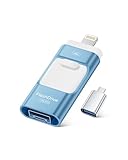
- Ports and adapters - Look for native USB-C, USB-A and Lightning or included adapters so the drive plugs directly into your devices.
- Compatibility - Verify the drive supports your phone OS and minimum versions (many drives require Android 8+ or iOS 13+ for direct backups).
- Speed expectations - For large video files pick USB 3.1/3.2 Gen 2 class drives with higher read/write speeds to save time.
- User experience - Decide if you want plug-and-play or an app-assisted one-click backup. Apps make backups simpler but may require downloads and permissions.


Types and categories
There are a few common designs for mobile photo drives. Pick the style that fits your workflow.
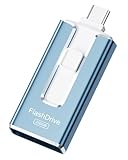
- Multiport photo sticks - Small drives with Lightning, USB-C, and USB-A connectors for cross-device one-step backups.
- High-capacity flash sticks - Large single-device drives (256 GB to 512 GB) for archiving a camera roll without cloud storage.
- Dual-head USB-C/USB-A SSD-style drives - Rugged metal bodies with fast SSD-like speeds for transferring big video files between modern laptops and phones.
- MFi-certified iPhone-focused drives - Designed for iPhone/iPad with official certification for better compatibility with iOS devices.
Key features and specs to check
Focus on features that reduce friction and protect your data.
- Actual usable capacity - Manufacturers list decimal capacity; a 512 GB drive will show roughly 480-490 GB usable after formatting.
- Read/write speeds - Look for listed read and write numbers; 300 MB/s or higher is helpful for moving many large files quickly.
- File system - EXFAT is best for cross-platform and large file sizes without reformatting.
- Security - Options like password protection, encryption, or fingerprint support are useful if you carry sensitive photos.
- Build quality and warranty - Metal housings and shock resistance improve longevity; check warranty and return policy.
- App requirements - If backup relies on a specific app, confirm it is available and compatible with your device OS.
Where to buy, mistakes to avoid, and expert tips
Buy from reputable sellers and verify specs to avoid common pitfalls.
- Online vs retail - Buy online for selection, detailed specs and price comparisons; buy in store if you need to inspect build and get immediate support. Whichever you choose, check seller ratings and return policies.
- Beware of inflated claims - Don’t assume advertised speeds or capacity always match real-world results; read verified user reviews and Q&A.
- Check for MFi or certification - For iPhone users, prefer officially certified products for smoother iOS compatibility.
- Test immediately - Verify read/write performance and usable capacity right after purchase so you can return defective items quickly.
- Buy a bit bigger - Choose a capacity one step up from your current needs to avoid filling the drive too soon.
- Keep backups - Use the drive as one backup method and keep a second copy in the cloud or on another drive for redundancy.
Final Thoughts
Pick a drive with the right mix of capacity, ports, and speed for how you shoot and store media. Prefer certified, well-reviewed models, test them on arrival, and maintain at least one additional backup. That approach keeps photos safe and makes freeing phone storage fast and painless.