



Buying Guide
How to Buy a Game Capture Card
This short guide helps you pick the right capture card for streaming or recording gameplay. It covers what matters most, the main product types, buying and compatibility tips, common mistakes, and a quick checklist so you can decide fast.
What to consider and key features
Focus on compatibility first. Confirm the card supports your console or PC output and the apps you use. Prioritize these features when comparing options
- Capture resolution and frame rate: common targets are 1080p60, 4K30, 4K60, and high frame rate captures like 1440p120 or 1080p240.
- Passthrough and connector version: HDMI 2.1 passthrough is required for highest frame rates and 4K60 HDR workflows; older HDMI works for lower resolutions.
- HDR and tone mapping: If you need HDR capture, check explicit HDR10 support and how the card handles tone mapping on your OS.
- Latency and interface: Look for ultra-low latency and a fast host connection such as USB 3.2 Gen 2 or a PCIe slot for minimal delay.
- Audio options: If you plan live commentary or party chat capture, look for analog input or headset support.
- Platform support: Verify drivers or driverless operation for Windows, Mac, and mobile devices if needed.


Types and when to choose them
There are a few clear categories. Choose by workflow and budget
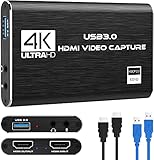
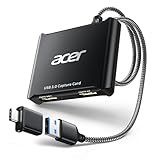
- External USB devices: Best for single-PC streamers, laptop users, and those wanting portable setups. They plug into USB and often work without complex drivers.
- Internal PCIe cards: Best for single-room rigs or dual-PC streaming setups where you want lower overhead and a direct connection to the streaming PC.
- High frame rate and HDMI 2.1 capable devices: For next-gen consoles and users who want 4K60 HDR or very high frame rates at lower resolutions. Choose these only if you need those specific specs.
- Budget 1080p/standard HDR capture: Good for beginners who only need 1080p60 recording and streaming and want a lower cost entry.
Where to buy and mistakes to avoid
Buy from reputable online retailers or local stores that offer clear return policies and warranty coverage. Online marketplaces often have better selection and up-to-date pricing while retail stores let you ask in-person questions. Avoid these common errors
- Buying for peak spec instead of need. Don’t buy HDMI 2.1 level hardware if you only stream 1080p60.
- Ignoring host interface limits. A USB 2.0 port cannot handle high bitrate 4K feeds even if the card supports them.
- Overlooking firmware and software support. Check for active updates and compatibility with OBS, Streamlabs, or your preferred software.
- Assuming passthrough equals capture. Verify both passthrough and capture resolutions and frame rates separately.
- Forgetting accessories. Good USB-C cables, a powered USB hub, or the correct HDMI cables matter for reliable capture.

Smart tips and a quick buying checklist
Act on exact needs and avoid overpaying. Typical price ranges for quality devices start around $100 and go up to $250 for advanced features. Use this quick checklist before buying
- Match capture resolution and frame rate to your output and streaming target.
- Confirm host interface speed like USB 3.2 or PCIe and available ports.
- Check passthrough specs separately from capture specs.
- Verify HDR, VRR, and tone mapping support if you use HDR games.
- Choose external for portability or internal for permanent dual-PC setups.
- Read recent reviews checking latency and real world compatibility with your platform.
Final Thoughts
Pick the simplest device that meets your real needs. Prioritize compatibility, low latency, and the right capture rate for your content. Use the checklist to confirm specs and buy from a seller with a good return policy so you can test the device in your setup risk free.