



Buying Guide
How to Buy a Digital Picture Frame
This short guide helps you pick a digital picture frame that fits your space, sharing needs, and budget. It covers the most important factors, the main categories, must-check specs, where to buy, common mistakes, and quick expert tips so you can decide fast.
What to consider before you buy
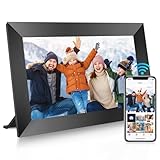
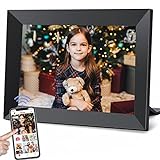
Screen size and placement matter most. Smaller screens (around 8 to 10 inches) work well on bedside tables and desks. Larger screens (13 to 16 inches and up) are better for living rooms but need higher resolution to avoid soft images. Check resolution relative to size: 1280x800 is fine for 10 inch displays, 1920x1080 is better for 15 inch and larger. Panel type and finish affect image quality and glare. Choose IPS for wide viewing angles and look for anti-glare or matte treatments if the frame will face windows. Storage and file playback: decide whether you want built-in memory, SD/USB support, or cloud storage via an app. Built-in 32GB stores many photos; 64GB is comfortable for large libraries. Confirm supported file types and video limits because some frames restrict video length when uploaded via the app but allow full-length playback from SD or USB. Connectivity and sharing options: WiFi plus a companion app makes remote sharing easy for family but review privacy and invite-only controls. Power and placement: most frames require continuous power from an adapter. If you need battery operation, check explicitly. Mounting and materials: confirm wall-mount holes or included stand and consider frame materials if you want a premium look.


Main types and how they differ
- Basic local frames - Play photos from SD card or USB only. Pros: simple, private, no network setup. Cons: no remote sharing.
- WiFi frames with app and cloud - Allow remote uploads, multiple contributors, and sometimes cloud backup. Pros: best for family sharing and gifting. Cons: check for subscription fees and video upload limits.
- High-end display frames - Higher resolution, color-calibrated displays, premium materials, and more automatic photo management. Pros: best image quality and presentation. Cons: higher price.
- Large multimedia frames - Bigger screens aimed at showing videos and group viewing. Pros: immersive viewing. Cons: needs higher resolution and stronger power supply.
Key features and specs to check
- Resolution and screen size - Match resolution to size to avoid pixelation.
- Panel type - IPS recommended for consistent color and wide viewing angles.
- Touch screen vs remote - Touch is convenient; remote can be easier for wall mounted units.
- Storage - Built-in GB, SD/USB expansion, and recommended maximum card sizes. Verify file system requirements like FAT32.
- File compatibility - Common image formats JPG/PNG and video format MP4. Check max photo/video sizes and app upload length limits.
- Connectivity - WiFi standards, app availability for iOS/Android, and whether cloud storage is free or requires a subscription.
- Privacy and sharing controls - Invite-only sharing, account access, and manufacturer cloud policies.
- Auto features - Auto-rotate, auto-brightness, sleep/schedule modes, and slideshow customization.
- Mounting and build - Wall mounting hardware, included stand, and frame material quality.
- Support and warranty - Return window, easy replacement policy, and customer support availability.
Where to buy, common mistakes, and expert tips
- Where to buy - Online stores offer the largest selection and real customer reviews. Retail stores let you see display quality in person. Buy online if you want to compare prices and read many reviews. Buy in-store if color and finish matter.
- Common mistakes to avoid - Buying a large frame with low resolution, assuming all apps allow long video uploads, forgetting to check for included power adapter, and ignoring SD card format requirements.
- Expert tips - Prefer IPS panels and at least 32GB built-in memory for everyday use. If you plan to share remotely choose a frame with a well-reviewed app and clear privacy controls. For gifts, pre-load photos and verify the return policy. If you rely on SD/USB, format cards to FAT32 before use and test playback. Choose FHD for frames 15 inches or larger.
- Quick checklist before checkout - screen size and resolution, IPS panel, storage and expandability, WiFi and app features, video limits and file formats, mounting options, power adapter included, warranty and return terms.
Final Thoughts
Pick the smallest set of features that meet where and how you will use the frame. For frequent family sharing choose a WiFi frame with a solid app and privacy controls. For display quality prioritize IPS and matching resolution. Use the quick checklist to compare finalists and buy from a retailer with a reasonable return policy.


