


Buying Guide
How to Buy a Desktop Wi‑Fi 6E PCIe Network Card
This quick guide helps you pick the right internal Wi‑Fi 6E PCIe card for a desktop PC. It covers the must‑have compatibility checks, the card types you will see, the most important specs to compare, where to buy, common pitfalls, and concise expert tips so you can make a fast, confident purchase.
Key factors to consider
Check slot and case compatibility: make sure your motherboard has a free PCIe slot (x1, x4, x8, or x16 work) and that your case can accept a full height or low profile bracket.
- Operating system support: 6 GHz band often requires the latest OS version to unlock full functionality, so verify Windows version support and driver availability for your OS.
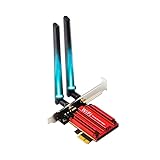
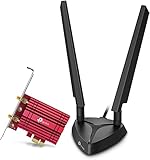
- Antenna and placement: cards come with single or dual external antennas, some with a magnetized base. Dual antennas generally give better range and stability.
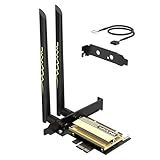
- Bluetooth needs: many cards include Bluetooth but require an internal USB header connection to enable it. Confirm your motherboard has a free F_USB or similar connector.
- Performance features: look for tri‑band 2.4/5/6 GHz support, MU‑MIMO, OFDMA, 160 MHz channel support, and the latest security protocol WPA3 for best speeds and low latency.
- Thermals and build: a heatsink or metal shield can help stability under sustained load, useful for gaming and 4K streaming.
- Warranty and support: check return policy and warranty length in case of compatibility or performance issues.


Types and important specs to compare
Know the common categories and which fit your needs:
- Tri‑band Wi‑Fi 6E cards: include 2.4, 5 and 6 GHz bands and are best for future proofing, low latency gaming, and crowded networks.
- Dual antenna vs single antenna: dual offers better reception and range; single saves desk space but may have weaker signal.
- Low profile vs full height: pick a card that includes a low profile bracket if you have a small form factor case.
- Bluetooth version: newer Bluetooth 5.x offers improved range and stability for controllers and headsets.
- Aggregate speed: vendors advertise combined link rates; expect real world speeds to be lower and dependent on router and environment.
Where to buy and mistakes to avoid
Online marketplaces give the widest selection and best prices but verify seller reviews and return terms. Brick and mortar stores let you confirm physical fit and pick up faster.
- Common mistakes to avoid: assuming 6 GHz works without checking OS and router compatibility, forgetting the internal USB header needed for Bluetooth, buying for a PCI slot instead of PCIe, and ignoring antenna placement and case clearance.
- Check return policy and warranty before purchase so you can swap the card if drivers or fitment fail.
- Read recent user feedback about driver stability on your OS version, especially if you run Linux or an older Windows build.

Expert tips and quick recommendations
If you want a single recommendation focus on a tri‑band Wi‑Fi 6E PCIe card with dual external antennas, WPA3 security, support for MU‑MIMO and OFDMA, and included low profile bracket if you have a compact case. Quick checklist before you buy:
- Confirm motherboard PCIe slot and an internal USB header for Bluetooth.
- Ensure your router supports Wi‑Fi 6E to benefit from 6 GHz band.
- Place antennas upright and away from metal obstructions for best performance.
- Install the latest drivers and firmware right after installation.
- Expect to pay in the mid tens to low fifties for solid performance; cheaper cards may lack good antennas or driver support.
Final Thoughts
Pick a card that matches your slot and OS, prioritizes tri‑band support and good antenna hardware, and includes the accessories you need like a low profile bracket and internal USB cable for Bluetooth. Confirm return and warranty terms, install the latest drivers, and position the antennas for the best results.