




Buying Guide
How to Buy a Home Security Camera
This quick guide helps you pick the right home security camera by focusing on what matters most: placement, power, image quality, storage, and ongoing costs. Read the short checklist and tips, then take action.
What to consider first
Decide where you need coverage and how you want to power the camera. Indoor rooms, doorways, driveways, and yards have different needs. Key priorities are reliable power, weather resistance, image clarity at night, and how alerts are delivered.
- Placement and purpose: indoor monitoring, outdoor perimeter, or lighting plus video.
- Power type: battery for flexible placement, plug-in for continuous power, or Power over Ethernet for the most reliable connection.
- Weather resistance: look for an IP65 rating or higher for outdoor use.
- Night performance: color night vision is useful near ambient light; true darkness may still switch to black and white.

Types and when to choose them
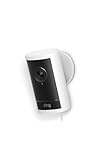
- Indoor plug-in cameras: Best for baby rooms, living areas, and budget setups. Expect two-way audio and local storage options.
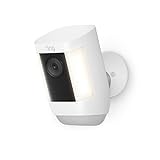
- Battery wireless cameras: Good for temporary or hard to wire spots. Choose these when you need quick, cable-free setup but accept periodic recharging.
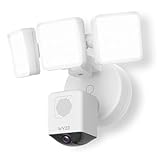
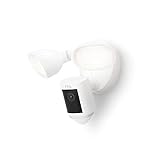
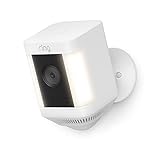
- Plug-in floodlight or spotlight cameras: Pick these for front porches and driveways to remove dark spots and deter intruders with built-in lights and sirens.
- Hardwired or PoE cameras: Ideal for continuous power and stable video streaming for garages, businesses, or multi-camera systems.
Must-have features and buying checklist
Check these specs before you buy. They separate a useful camera from a regret.
- Resolution and zoom: 1080p is common; 4K or enhanced zoom helps for long range identification.
- Night vision: color night vision near ambient light is a plus; confirm performance at low light.
- Motion detection and zones: adjust sensitivity and set zones to reduce false alerts.
- Storage: confirm local microSD support if you want free recording, and check cloud subscription costs if you prefer cloud backups.
- Audio and alerts: two-way talk and instant push notifications are standard for checking in and deterring visitors.
- Power and cables: verify included cable length or plan for a power adapter or PoE run. Bundles sometimes include adapters or long cables.
- Extras: built-in spotlight, floodlights, and sirens are useful for entry points.
- Price range and ongoing costs: budget models can be very cheap; mid to high end camera plus lighting or PoE systems commonly run from about $100 to $200 or more. Factor in monthly subscription fees for cloud services.
Common mistakes and expert tips
- Mistake: Buying solely on price. Low cost can mean missing features like weatherproofing, good night vision, or local storage.
- Mistake: Ignoring power and network needs. A camera that needs continuous power but is placed where you cannot run a cable will cause headaches.
- Mistake: Forgetting subscription fees. Many cameras lock advanced recording or person detection behind a paid cloud plan.
- Tip: Map coverage first, then choose camera type to match each spot. One floodlight at an entry plus smaller cameras for corners often works best.
- Tip: Use motion zones and adjust sensitivity to cut down false alerts from trees, cars, or pets.
- Tip: Secure your account with a strong password and two factor authentication to protect recordings and live feeds.
- Tip: Check for included accessories, available mounts, and whether a microSD slot or cloud plan is supported.
Final Thoughts
Pick the camera that matches placement and power. If you need continuous, reliable coverage choose hardwired or plug-in models with good night vision and local storage options. If you want flexible placement pick a battery model but plan for recharges. Compare total cost including subscriptions, and buy where you can return or get help with setup if you are unsure.

