



Buying Guide
How to Buy a Large Digital Picture Frame
This quick guide helps you choose a large digital picture frame that fits your room, workflow, and budget. It covers the key buying factors, types available, must-have specs, where to buy, common pitfalls, and fast expert tips so you can decide and act quickly.
1. Key factors to consider
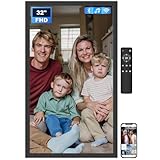
Room size and viewing distance matter most. For close-up tabletop viewing choose screens in the low 20 inch range. For living room walls or public spaces choose 27 to 32 inches. Prioritize an IPS panel with a full HD 1920 x 1080 resolution for consistent colors and wide viewing angles. Look for an anti-glare or matte finish if the frame will face windows or bright lights. Decide how you will add photos: built-in storage, removable SD/USB support, and WiFi app or email sharing are common options. Finally, check mounting options, included remote control, speaker support if you plan to play videos, and the return and warranty terms.

2. Types and common use cases
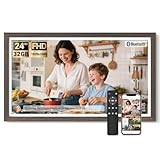
- Small to medium digital frames (20 to 24 inch): best for desks, nightstands, and small living rooms.
- Medium-large frames (24 to 27 inch): balanced for family rooms and shared spaces.
- Extra large frames (32 inch and up): make a statement on a wall, or use in reception areas and retail displays.
- Photo-first frames: optimized for still images, long slideshow features, captions and clock display.
- Video-capable frames: include speakers and support MP4 playback; good for family video clips and short presentations.
- Cloud-connected frames: let friends and family send photos via a companion app or email for instant updates.
3. Important features and specs to prioritize
Prioritize these practical features when comparing models.
- Screen and resolution: 1920 x 1080 FHD on an IPS panel is the sweet spot for large frames; consider higher pixel density only if you sit very close.
- Finish: matte or anti-glare reduces reflections in bright rooms.
- Storage and expandability: aim for at least 32GB built-in or easy SD/USB expansion; larger built-in storage holds tens of thousands of photos.
- Connectivity: dual-band WiFi (2.4G + 5G) speeds uploads and remote sharing; check whether the companion app limits video length.
- Video support and audio: confirm supported file types and whether videos uploaded via the app have time limits; SD/USB playback often has no time limit.
- Controls and extras: remote control is useful for non tech-savvy users; look for auto-rotate, slideshow/custom playback order, captions, clock/weather, sleep scheduling, and wall-mount capability.
- Accessories and power: check if wall mount hardware and a long-enough power cable are included; remote batteries are often not included and are typically AAA.

4. Where to buy, mistakes to avoid, and fast tips
Buying online gives more choice, price comparison, and user reviews; buy from a seller with clear return and warranty policies. In-store shopping lets you see display quality and finish first hand. Common mistakes to avoid: buying a very large FHD screen if you will sit very close and expect high pixel density; assuming the companion app allows unlimited video uploads; ignoring storage expansion options and power cable length; not confirming whether wall-mount hardware is included. Quick expert tips:
- Match screen size to viewing distance: bigger for distant viewing, smaller for up-close.
- Choose matte finish for bright rooms to avoid reflections.
- Prefer models with SD/USB playback so you are not limited by app upload rules.
- Confirm audio support and video time limits before you buy if you plan to play videos.
- Keep firmware and app updated and keep a local backup of your photos on an SD card for easy recovery.
- Expect to pay more for larger sizes; budget options exist in the low 100s for smaller frames and mid 200s to 400s for larger 27 to 32 inch frames.
Final Thoughts
Pick the smallest screen that still looks right from your usual viewing spot, prioritize an IPS FHD matte panel, and make sure storage and connectivity match how you will use the frame. Buy from a seller with a clear return window and warranty, and verify video and app limits before checkout. With those checks you will get a large digital frame that displays memories beautifully and reliably.


