



Buying Guide
How to Buy Wireless Outdoor Security Cameras
This short guide helps you pick the right outdoor wireless security camera system by focusing on power, coverage, connectivity, storage, and real-world tradeoffs so you can buy with confidence.
What to consider before you buy
- Map the area you want to cover. Count entry points and measure distance back to your WiFi router or potential hub.
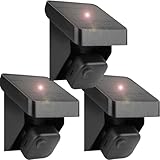
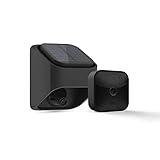
- Decide power type. Battery cameras are easiest to install. Solar panels reduce maintenance but need sun exposure. Wired cameras need installation but offer constant power.
- Pick a storage approach. Local storage (home base or microSD) avoids monthly fees. Cloud storage adds convenience but can mean recurring costs.
- Check connectivity. Many cameras use 2.4 GHz WiFi; some kits include a hub that extends range using a different radio band for more reliable long-range links.
- Set a budget. Multi-camera kits typically range from budget 100s to higher-end 200s. Add-on accessories like solar mounts cost extra.


Types to choose from
- Battery wireless kits: Best for quick installs and flexible placement. Expect periodic battery changes unless paired with solar.
- Solar-assisted cameras: Good for remote spots with sunlight. Verify the panel and any internal battery capacity for cloudy days.
- Hub-extended systems: Use a system hub to push range and reliability across larger properties. Ideal when cameras are far from home WiFi.
- Pan and tilt cameras: Provide 360 degree coverage and auto tracking of moving objects. One rotating camera can replace multiple fixed units in some spots.
- Wired or PoE cameras: Best where continuous power and highest reliability matter. Require more installation work.
Key specs and practical checks
- Resolution: 1080p is fine for most needs; 2K or 3MP gives clearer detail for license plates and faces at distance.
- Night vision: Color night vision with LEDs shows more detail in low light; infrared is more stealthy and reliable in total darkness.
- Field of view and pan/tilt: Wider FOV reduces the number of cameras. Pan and tilt with auto tracking can cut costs on larger yards.
- Battery life: Manufacturer claims vary. Expect shorter life with frequent live views or temperate extremes. Using lithium AA batteries often extends runtime.
- Storage capacity: Look for included local storage size (example: 32 GB) and whether microSD or USB backup is supported. Know how long loop recording will hold footage for your activity level.
- Range and interference: If cameras are 100+ feet from your home, a hub or long-range radio option gives more reliable connections than standard WiFi.
- Accessories and weatherproofing: Confirm mounts, batteries, chargers, and weather seals are included or available.
Where to buy, mistakes to avoid, and quick expert tips
- Where to buy: Online stores offer wider selection, price comparison, and bundled savings. Retail stores let you see build quality and return faster. Check seller ratings and warranty terms.
- Common mistakes to avoid: Buying only by resolution claimed; ignoring range or hub requirements; assuming battery life claims apply to heavy use; skipping verification of local storage options.
- Expert tips: Test WiFi signal at each planned camera location before final mounting; orient solar panels to the sun and allow tilt adjustment; enable local backup if you want no subscription; use motion zones to reduce false alerts; keep firmware updated and secure your hub with a strong password.
- Quick checklist before checkout: coverage map, power plan (battery/solar/wired), storage choice (local or cloud), range/hub needs, included accessories, return policy.
Final Thoughts
Pick a kit that matches your property size and power preferences, prioritize reliable connectivity and storage that avoids surprise fees, and test locations and network before permanent installation.


