



Buying Guide
How to Buy an AI Auto-Tracking Sports Camera
This short guide helps you pick an AI auto-tracking camera for recording or streaming sports. It covers the main product types, the specs that matter, where to buy, common buying mistakes, and quick expert tips so you can decide fast and confidently.
Choose the right type for your needs
There are two practical categories to consider:
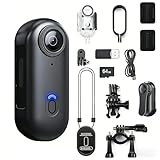
- Portable consumer AI sports cameras: Small, battery powered devices with mobile app control, automatic highlight tools, wide-angle lenses and live-streaming to social platforms. Typical price point seen here is about $300. Good for clubs, practices, parents and quick setup.
- Professional PTZ broadcast cameras: Rackable PTZ heads with optical zoom, PoE, HDMI/NDI outputs, controllers and multi-input switchers. These are built for venues, broadcast and multi-camera productions and often cost well over $1,500.


Must-have features and specs to check
- Resolution and frame rate: 4K 60fps is ideal for crisp highlights and slow motion. Many PTZs focus on stable 1080p60 output for broadcast reliability.
- Lens and zoom: Wide-angle (about 120 degrees) is useful for close-up action on portable units. For distance and courts or fields choose optical zoom (10x to 20x) on PTZs.
- Tracking performance: Look for proven multi-sport AI tracking, 360 degree tracking or advanced follow modes, and the ability to customize sensitivity and subject size.
- Connectivity: Wi-Fi and mobile app for quick setups; Ethernet/PoE, HDMI, NDI and USB for professional installs and low-latency streams.
- Power and mounting: Battery portable models vs PoE for continuous power in fixed installs. Check tripod or ceiling-mount compatibility and included mounts.
- Storage and editing: Onboard SD/USB, cloud storage options and automatic highlight generation can save editing time. Verify included cloud space and upgrade options.
- Compatibility: Confirm support for iOS and Android apps and common streaming software (OBS, vMix, Streamlabs, YouTube, Facebook).
- Support and warranty: Look for multi-year warranty, training resources and tech support especially for higher cost systems.
Where to buy and common mistakes to avoid
Online marketplaces give selection, price comparison and user reviews; pro AV dealers let you demo units and get hands-on configuration help. For consumer units, online buying is fast and convenient. For PTZ broadcast systems visit a reseller or integrator to test NDI/PoE workflows. Common mistakes to avoid:
- Underestimating network bandwidth and latency for live streaming or NDI workflows.
- Assuming all models output 4K; many professional PTZs focus on stable 1080p60 streams.
- Skipping mount and tripod checks that affect framing and tracking range.
- Neglecting accessories: capture cards, controllers, capture switchers, long SD cards or cloud plans.
- Buying without confirming software compatibility or return and warranty terms.
Expert tips and quick checklist
- Match camera type to venue size: choose wide-angle 4K portable units for small fields and sideline coverage; choose optical-zoom PTZs for stadiums and long distances.
- Prefer PoE for permanent installs to avoid battery downtime.
- If you need zoom and subject isolation, prioritize optical zoom over digital crop.
- Test tracking before important events; run at least one full match simulation.
- Budget guide from the sample products: around $300 for portable AI sports cams, $1,500 to $2,200+ for pro PTZ bundles.
- Get a 3-year warranty or solid support package when available and check if online training is offered.
- Quick checklist: confirm resolution/frame rate, verify connectivity (Wi-Fi, Ethernet, HDMI/NDI), check power plan (battery vs PoE), ensure adequate storage, and validate return policy.
Final Thoughts
Decide whether portability or pro broadcast capability matters most, then prioritize tracking accuracy, connectivity and power. Buy from a seller who offers a clear return policy and support, test the camera in your venue when possible, and include needed accessories in your purchase. That approach will get you reliable game coverage and fewer surprises.

