



Buying Guide
How to Buy a Wall Mount for a Smart Display or Small Monitor
This short guide helps you pick the right wall mount for a smart display or small monitor. It covers the key fit and strength checks, the main mount styles, the specs to inspect, where to buy, common mistakes to avoid, and quick expert tips so you can buy and install with confidence.
What to check first: fit, weight and wall
Start by confirming three deal breakers before you buy:
- VESA pattern and screen size: measure the mounting hole pattern on your display. Common patterns are 75x75 mm and 100x100 mm. Many mounts here support those ranges.
- Weight capacity: choose a mount rated at or above your display weight. Typical options shown support about 30 to 33 pounds.
- Wall type and stud location: most articulating mounts require secure attachment to wood studs, brick, or concrete. Do not mount directly to drywall without proper anchors.

Mount types and motion options
Choose the mount style that matches how you use the display:
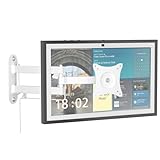
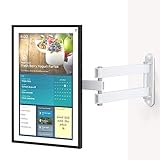
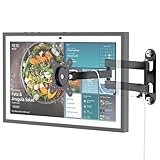
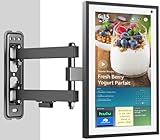
- Full motion articulating arm: best for kitchens and workspaces where you want swivel, tilt and rotation. Arms often extend 10 to 16 inches and can fold tight against the wall.
- Tilt-only or low-profile mounts: good for fixed viewing positions when you want a slim look that saves space.
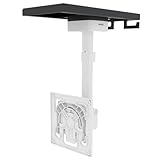
- Under-cabinet mounts: ideal for mounting beneath cabinets or shelves in kitchens. These allow tilt and rotation but are designed for overhead attachment.
Where to buy and what to check online vs in-store
Buy where you can verify fit and get good return or support options:
- Online: best for selection, price comparison, and reading user feedback. Check stock messages like "in stock" or "only a few left" and review product images and spec sheets for VESA, weight, and included hardware.
- In-store: useful if you want to inspect build quality, test the mount feel, or get hands-on advice. Bring measurements and a photo of your display backside.
- Always confirm the mount includes necessary screws, wall anchors, and instructions. Favor sellers that offer easy returns and responsive customer support.
Common mistakes to avoid and quick expert tips
Avoid these frequent errors and follow these tips:
- Mistake: assuming any mount fits. Measure VESA and weight first.
- Mistake: mounting to drywall alone. Use studs or rated anchors for safety.
- Tip: use a stud finder and a level, and pre-drill pilot holes to align the wall plate.
- Tip: keep 2 to 3 inches clearance for cable routing and ventilation when folded.
- Tip: choose a full-motion arm if you need flexible viewing angles and portrait rotation.
- Tip: inspect the wall plate footprint and hardware; larger plates spread load better on a single stud.
- Tip: if unsure about installation, hire a local handyman to ensure a secure mount.
Final Thoughts
In short, match the mount to your display by verifying VESA size and weight capacity, choose the movement style you need, and mount to studs or proper anchors. Buy from a source with clear specs, included hardware, and decent returns. If you want flexibility, pick a full-motion articulating mount and follow the simple installation tips above to avoid costly mistakes.